Ignition 8.3.3: New Tag Event Script, X.509 OPC UA Authentication Option, Remote Secret Provider


If you’ve got any leftover New Year’s bubbly, it’s time to pop it — the first Ignition release train of the year has arrived and its boxcars are bursting with exciting new features!
Ignition 8.3.3 includes a new Qualified Value Tag Event Script, a third authentication scheme for OPC UA, a remote Secret Provider option, and a lot more.
Qualified Value Tag Event Script
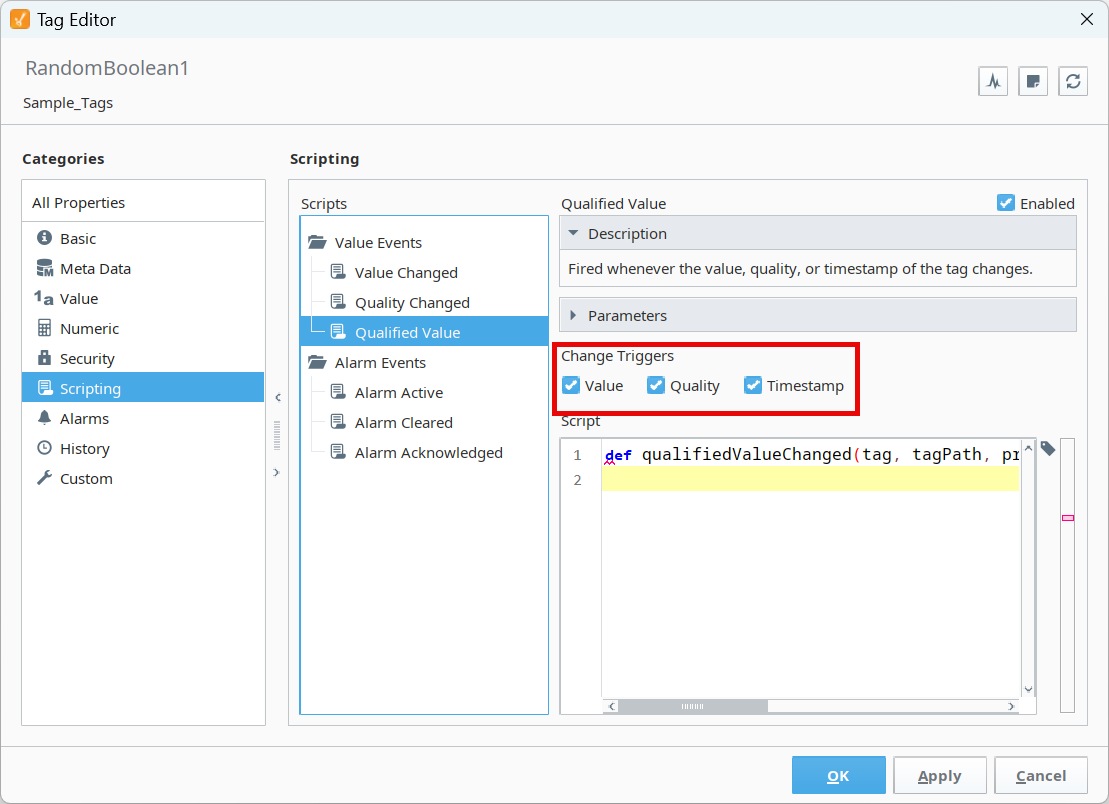
8.3.3 delivers greater flexibility and customization thanks to a new Qualified Value Tag Event Script. This enables you to trigger an event when one or more of the following properties change in a tag: value, quality, and timestamp.
Previously, you were limited to triggering an event for a single change only, using the conditions Tag Value, Tag Quality, Alarm Active, Alarm Cleared, or Alarm Acknowledged. But now, you can also choose which triggers (amongst value, quality, and timestamp changes) you want to work together to run an event script. So, for example, you could set things up to fire an event if a change occurred in value or quality. This script functions along the same lines as how Gateway Event Tag Change Scripts work — but in individual tags instead.
OPC UA Certificate-Based Authentication
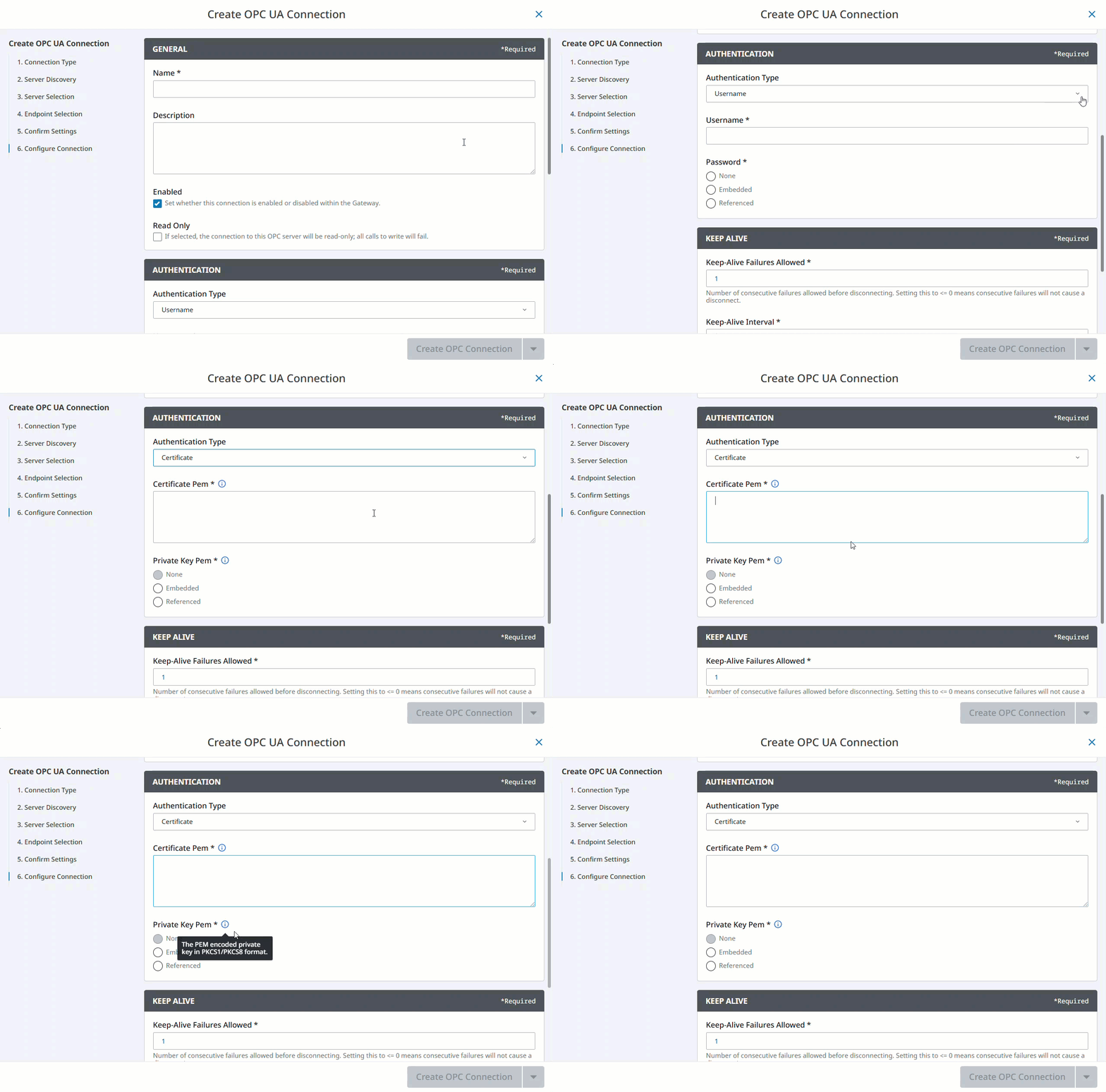
This new, user-requested Ignition feature delivers X.509 certificate-based authentication support for OPC UA connections.
In the past, when authorizing connections between two endpoints, you had only two options: anonymous mode or username/password mode. But now with the third authentication option of “Certificate” you can use the industry-standard approach for authenticating between two endpoints by representing identities using X.509 certificates.
Overall, like Ignition's certificate-based SSL connectivity, this new option helps you better align with security best practices to strengthen your system.
Remote Secret Provider
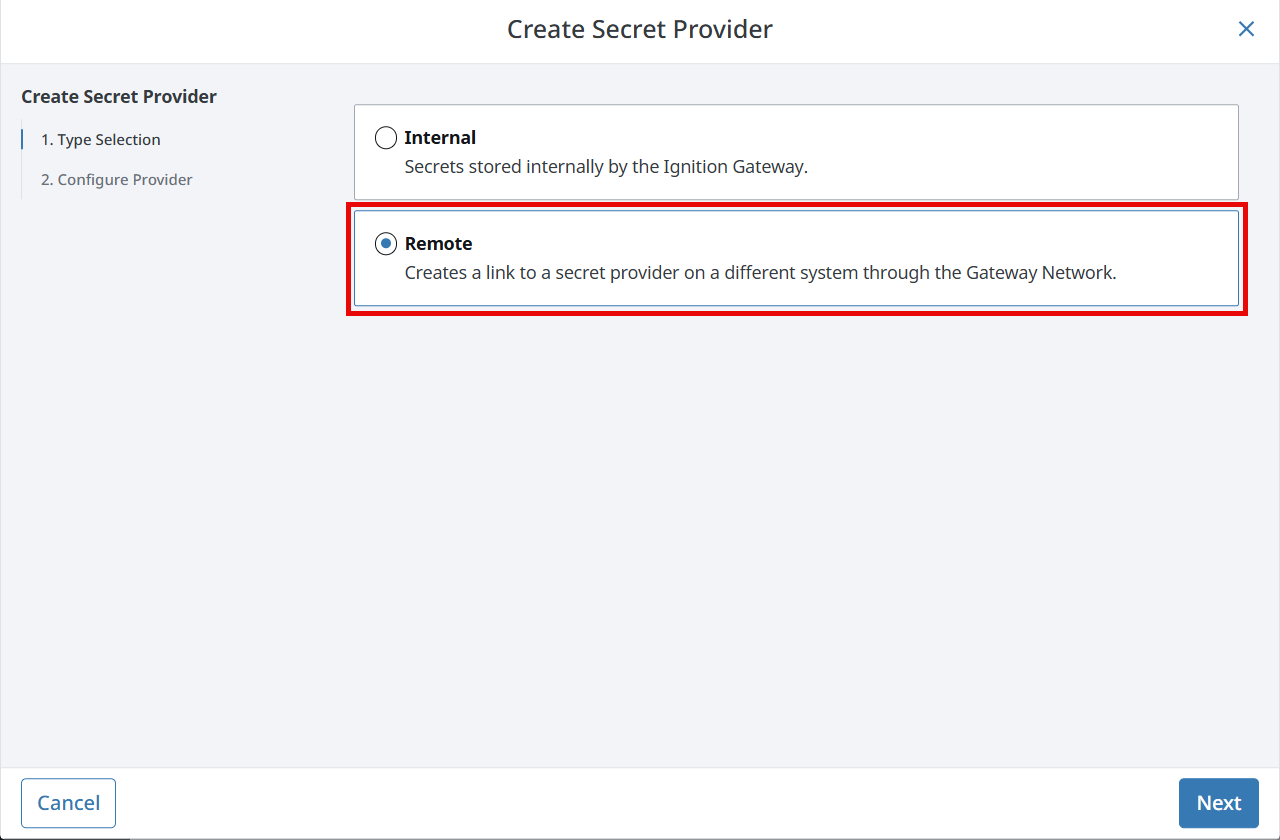
Another way that 8.3.3 bumps security up a level is with its new Secrets Management feature. There’s now a “Remote” option on the Secret Providers configuration page, enabling you to access a Secret Provider from another Gateway that’s connected using Gateway Network communications.
This new feature enables more flexible secrets configuration across multi-Gateway environments, and gives you greater control over your system’s security — specifically with your password safety.
Micro800 Connection Path Support
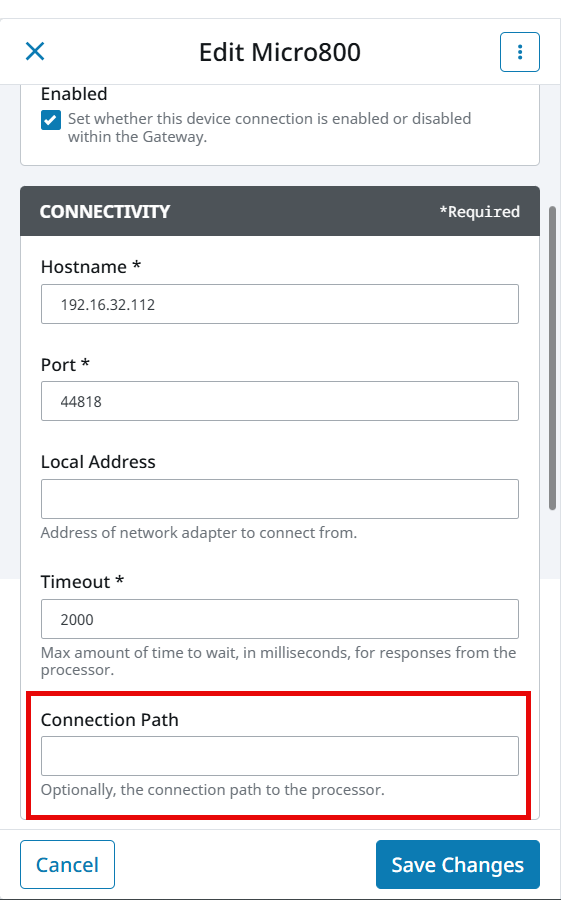
8.3.3 also delivers connection path support to the Micro800 Driver, giving you the option to input the connection path to the processor on your physical device.
Having this additional connection setting enables you to specify a sequence of numbers, particular to your PLC, that will instruct the connection setting on how to locate the processor. Since a connection path is required when an Allen-Bradley device's processor needs to be reached through a ControlLogix Gateway, or when going through multiple Allen-Bradley network types, the new connection setting is a very useful improvement for users of the Micro800 Driver.
Honorable Mentions
There are a few more new features that you won’t want to miss.
Gateway
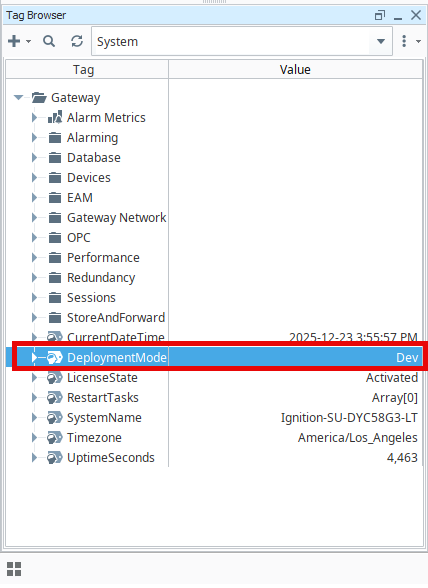
For those of you using multiple-environment setups for DevOps, there’s now a system tag for the Gateway’s active deployment mode, so you can easily see which deployment mode is currently running.
Perspective Drawing Editor
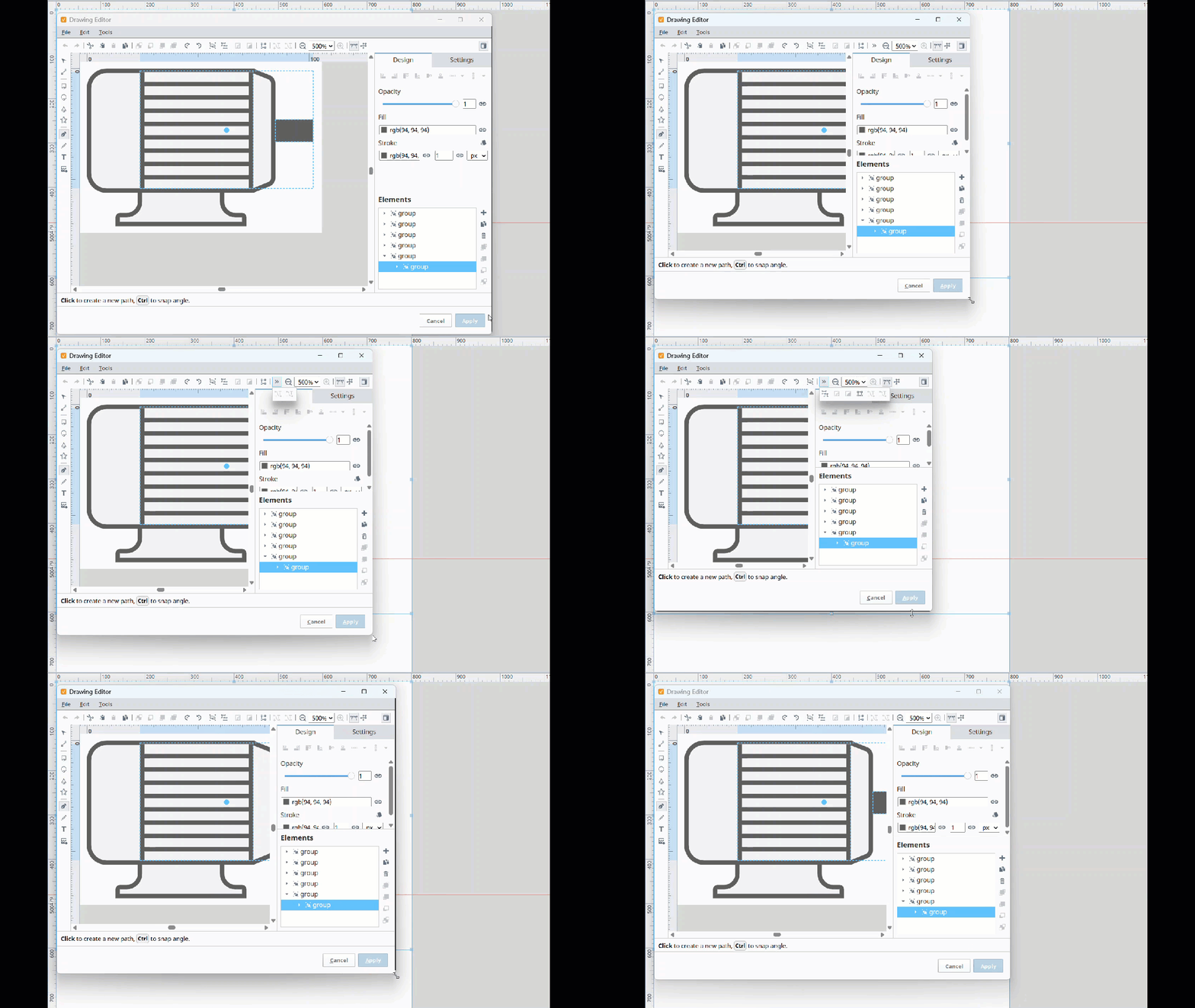
Designing in Perspective just got a little more fluid with a new responsive overflow menu in the Drawing Editor’s command bar. Now, if you shrink the Drawing Editor’s window, command icons will automatically move from the command bar to the overflow menu, dynamically adjusting to the new window size.
To access the overflow menu, just click the double chevron in the command bar.
Component Event Configuration
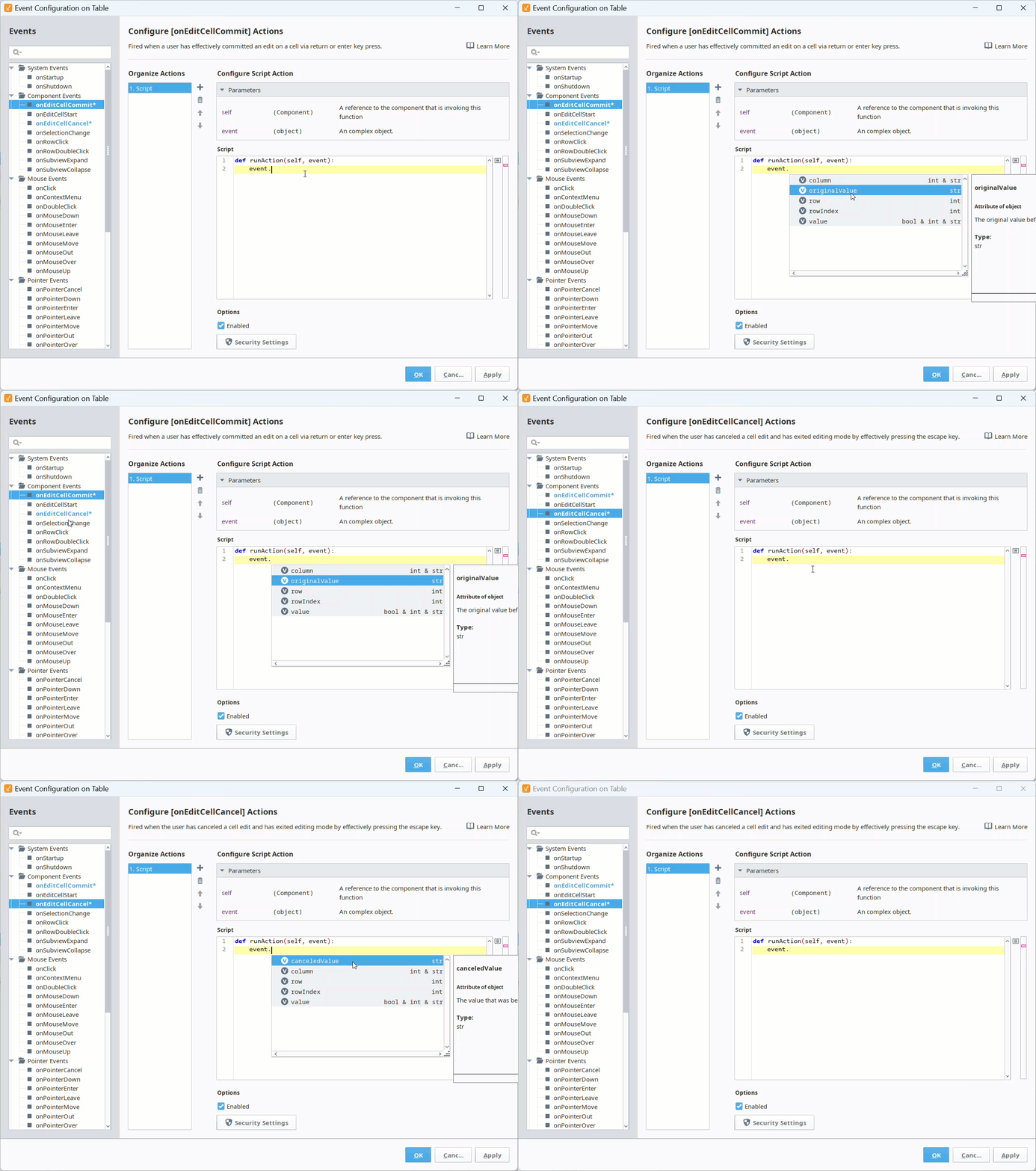
8.3.3 now has canceledValue and originalValue in the Perspective Table component's onEditCellCancel and onEditCellCommit events. This gives you more scripting flexibility by enabling you to retrieve both cancelled and original values, in case you need to keep track of these scenarios.
Web UI
Now in 8.3.3, if you are changing permissions that could potentially lock you out of the Gateway, a warning modal will appear before you save your changes.
A New Year of Innovations Ahead
Find out more about the updates in 8.3.3 in the release notes and the Ignition user manual. And remember that you’re always welcome at the ideas portal — please let us know what Ignition features would help you build your best HMI screens, SCADA systems, and more. It’s a brand new year, after all, and the possibilities for what you can do with Ignition software are endless.
The Ignition 8.3.4 release train will be rolling into the station in mid February. Until then!